Leading Manufacturer of Lithium Battery Chargers and Power Adapters
+86-15361625091

Views: 26 Author: Lion Publish Time: 2026-11-24 Origin: Site


Selecting a desktop AC/DC power adapter involves more than matching voltage and wattage. For OEM equipment manufacturers, an unsuitable adapter can lead to connector mismatches, unstable operation, overheating, compliance issues, or unnecessary redesign costs.
Before requesting a quotation, buyers should define the electrical, mechanical, and regulatory requirements of the application. This guide explains the key specifications to confirm when sourcing an external desktop AC/DC power adapter.
Start with the electrical requirements of the equipment. These determine the adapter's basic output specifications.
| Specification | What to Confirm |
|---|---|
| AC input | Required input voltage and frequency |
| DC output voltage | The equipment's rated operating voltage |
| Output current | The maximum current required by the equipment |
| Peak current | Whether the equipment has temporary higher-current demand |
| Output power | Required wattage |
| Operating conditions | Temperature, load profile, and working environment |
Output power is calculated as:
Output Power (W) = Output Voltage (V) × Output Current (A)
For example, equipment requiring 24V and 5A needs a 120W power supply.
Do not select an adapter based only on its wattage. The output voltage must match the equipment's requirements, while the current rating must be sufficient for its maximum demand. For equipment with motors, pumps, or other components that draw high starting current, check whether the adapter can support the required peak load.
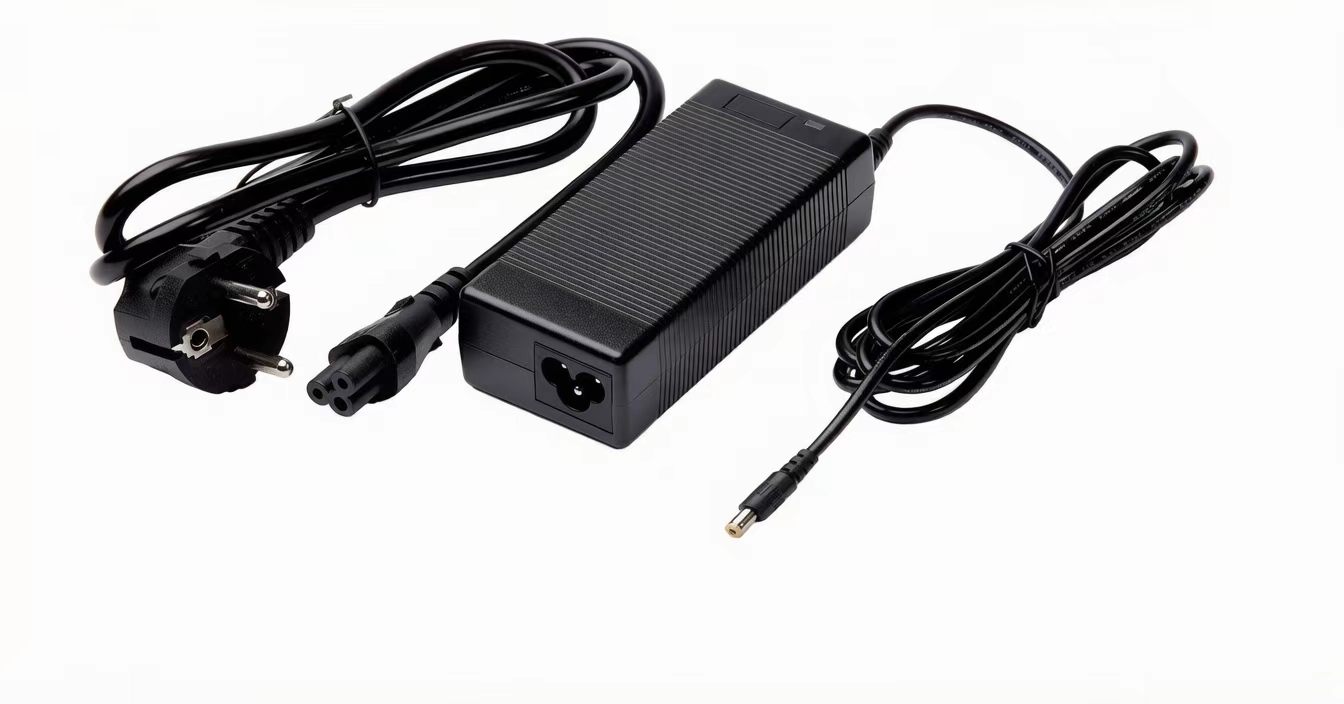
The AC input arrangement should be confirmed before production. Desktop adapters commonly use detachable AC power cords, but the inlet on the adapter and the connector on the power cord are two different components.
Common combinations include:
| Adapter AC Inlet | Power Cord Connector |
|---|---|
| IEC C8 | IEC C7 |
| IEC C14 | IEC C13 |
The C8 inlet is the two-pin AC socket on the adapter, while the C7 connector is the corresponding figure-eight connector on the power cord. Similarly, C14 and C13 form a three-pin connection.
Buyers should also specify:
AC plug type for the destination market
Power cord length
Grounded or ungrounded configuration
Required AC input voltage and frequency
For a more detailed explanation of AC and DC connector selection, see Bel Fuse's guide to power adapter input and output plugs.
The DC connector is one of the most common causes of compatibility problems during adapter replacement or OEM sourcing.
Do not specify a connector simply as a "DC plug." Provide its complete dimensions and electrical requirements.
Important details include:
Outer diameter (OD) and inner diameter (ID)
Plug length
Positive and negative polarity
Straight or right-angle design
Connector current rating
Cable length
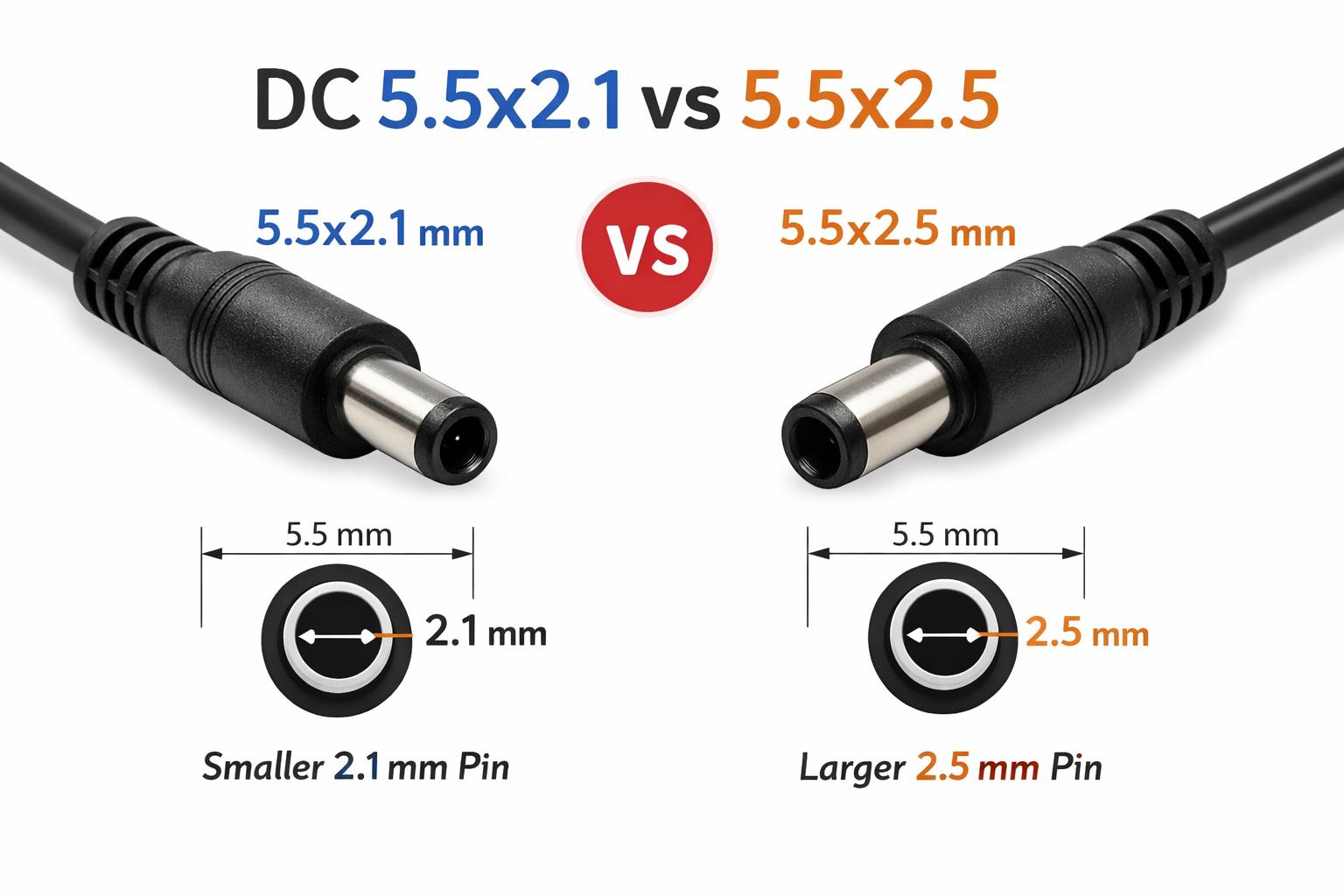
For example, 5.5 × 2.1mm and 5.5 × 2.5mm barrel plugs may look similar, but they are not automatically interchangeable. A dimensional mismatch can result in a loose connection or failure to make electrical contact.
For applications requiring a customized connector, buyers can refer to Lilon's article on choosing the right connector for a custom battery charger.
Electrical specifications alone are not enough. Cable construction and enclosure design also affect product reliability and installation.
Before ordering, confirm:
DC cable length and wire gauge
Cable insulation and flexibility requirements
Connector type and terminal configuration
Strain relief at cable entry points
Adapter enclosure dimensions
Ventilation and heat dissipation requirements
Mounting or placement restrictions
Longer cables and higher current loads can increase voltage drop and cable temperature. The wire gauge should therefore be selected according to current, cable length, and operating conditions.
For space-constrained equipment, confirm the maximum adapter dimensions and cable exit direction before approving the sample.
Protection functions help reduce the risk of damage caused by abnormal electrical conditions. However, buyers should not assume that every adapter includes every protection feature.
Common protection functions include:
| Protection | Purpose |
|---|---|
| OVP | Overvoltage Protection |
| OCP | Overcurrent Protection |
| SCP | Short-Circuit Protection |
| OTP | Overtemperature Protection |
| RPP | Reverse Polarity Protection |
The actual protection configuration depends on the adapter design and application. Buyers should ask suppliers to confirm which functions are included and how the adapter responds when a fault occurs.
Operating temperature, ventilation, continuous load, and derating conditions should also be reviewed. An adapter that works under room-temperature testing may perform differently in an enclosed installation or a high-temperature environment.
For additional information about safety and reliability considerations in external adapters and battery chargers, see Lilon's article: Medical Power Solutions: 5 Critical Factors for Safe and Reliable Adapters and Battery Chargers.
Certification requirements depend on the destination market, product category, and applicable regulations. A certificate held by a manufacturer does not automatically mean that every model is covered.
Before placing an order, request the following information:
Applicable safety and EMC standards
Certificate or report number
Certification body
Exact model numbers covered
Any limitations or conditions of certification
For example, IEC 62368-1 applies to relevant audio/video, information, and communication technology equipment. It should not be assumed to apply universally to every external power adapter.
Efficiency regulations may also apply depending on the product's classification and target market. Buyers should verify the applicable requirements for the specific model rather than relying on general claims such as "energy-efficient" or "certified."
For Taiwan-bound products, Lilon also provides an overview of BSMI certification requirements for battery chargers and power adapters.
A technically suitable specification is only the starting point. The sample should be evaluated before mass production.
A practical sample evaluation should include:
Confirming output voltage and current under the intended load.
Checking connector dimensions, polarity, and insertion fit.
Inspecting cable length, enclosure dimensions, and workmanship.
Testing the adapter under the expected operating conditions.
Reviewing the required certification documents and product labels.
After sample approval, the final specification should be documented and frozen. Any later changes to components, connectors, cables, or enclosure design should be communicated and reviewed before production.
For OEM buyers, consistent production control is as important as the initial sample. It helps reduce variation between approved samples and delivered batches.
A complete inquiry helps suppliers assess the project accurately and provide a more useful quotation.
| Information | Details to Provide |
|---|---|
| Application | Equipment type and intended use |
| Input | AC voltage and frequency |
| Output | DC voltage and current |
| Power | Required wattage |
| AC connection | Inlet type and regional power cord |
| DC connection | Connector dimensions and polarity |
| Cable | Length and other requirements |
| Enclosure | Dimensions, color, and material |
| Protection | Required protection functions |
| Certifications | Target market and required standards |
| Quantity | Sample quantity and estimated order volume |
If the project requires a battery charger rather than a general DC adapter, provide additional battery information:
Battery chemistry
Nominal battery voltage
Full-charge voltage
Required charging current
Battery management system (BMS) requirements
A battery charger must follow the appropriate charging profile. A general DC adapter should not be treated as a direct replacement for a dedicated battery charger.
For reference, see Lilon's guide to matching a 36V battery with a 42V charger.
Sourcing a desktop AC/DC power adapter requires more than specifying output voltage and wattage. AC input connections, DC connector dimensions, cable construction, protection functions, certifications, and production consistency all affect whether the final product will work reliably in the intended equipment.
A clear technical specification helps OEM buyers reduce sample revisions, avoid connector and compliance problems, and obtain more accurate quotations.
Lilon provides external AC/DC adapters and lithium battery chargers, with OEM/ODM options for output specifications, AC and DC connectors, cables, product labeling, and packaging. To discuss a project or submit your requirements, visit Lilon's contact page.
1. How do I choose the correct wattage for a desktop power adapter?
Multiply the required output voltage by the maximum operating current. Then confirm whether the equipment has additional peak-current requirements. The selected adapter must meet the equipment's actual load requirements.
2. Can I use an adapter with a higher current rating?
Generally, an adapter with the correct output voltage and a higher available current rating can be suitable, provided the connector, polarity, and other electrical requirements also match. The equipment draws the current it needs; the adapter does not automatically force its full rated current into the load.
3. Are 5.5 × 2.1mm and 5.5 × 2.5mm DC plugs interchangeable?
Not necessarily. Their inner diameters differ, so a plug may fit poorly or fail to establish reliable electrical contact. Confirm the exact connector dimensions before ordering.
4. What is the difference between a desktop AC/DC adapter and a battery charger?
A desktop AC/DC adapter provides a DC output to power equipment. A battery charger uses a charging control method designed for a particular battery chemistry and voltage range. They are not automatically interchangeable.


